SEJR POS · MPOS
End the day on MPOS
Here you learn how to end the day on MPOS.
Watch how it is done46 sec.
You count the till, and MPOS makes the day's Z report.
Step by step
Tick a step when it is done
Button names are written as they appear on a till set to Danish. The brackets give the name on a till set to English, the first time a button is mentioned. Change the till's language
- Tap Menu at the top left.
- Tap Afslut dag (End of day).
- An admin enters their PIN code under Indtast admin PIN (Enter admin PIN).
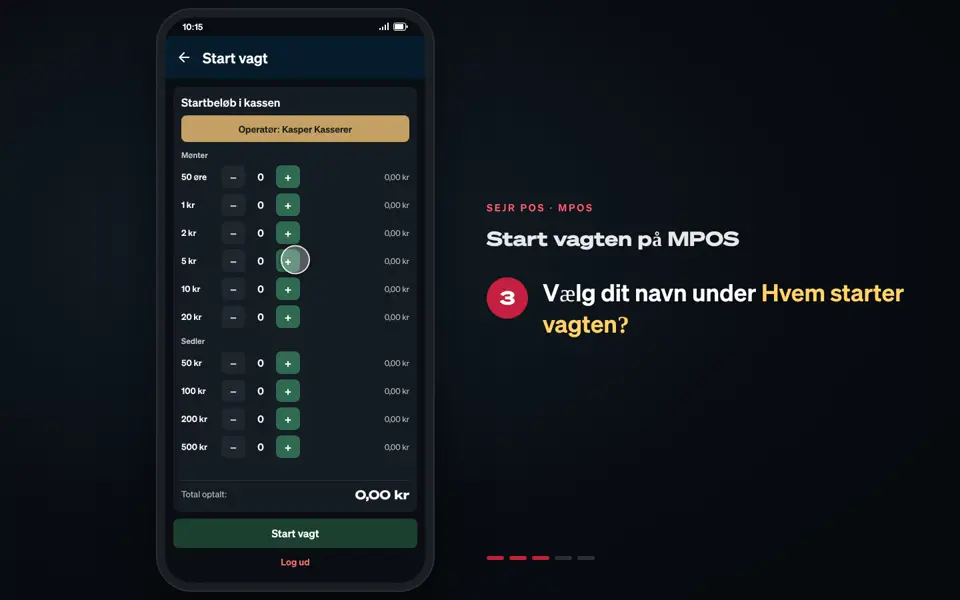
- Count the till under Optæl kassen (Count the till): tap + next to each coin and note. Tap Næste (Next).
- If the till does not balance, feel free to write a note and tap Registrer afvigelse (Register discrepancy).
- Under Udtræk (Cash-out): enter what Bliver i kassen (Stays in the till), and tap Bekræft udtræk (Confirm cash-out).
- Check Dagens overblik (Daily overview), and tap Generer Z-Rapport (Generate Z-report).
- MPOS prints the Z report and shows Dagen er afsluttet! (The day is completed!) Tap Luk (Close).
Good to know
- No counting: If MPOS is not a standalone till, you go straight to Dagens overblik.
- The Z report can also be found afterwards. See Find your Z report.
Finishing up
The day is ended, and MPOS is ready for a new day.
Still not working? Contact SEJR Support. We are happy to help.
Did the guide help you?