SEJR POS · MPOS
Serve and take payment at the table
Here you learn how to follow the table's courses, from the kitchen to the payment.
Watch how it is done34 sec.
Everything happens from the table on MPOS.
Step by step
Tick a step when it is done
Button names are written as they appear on a till set to Danish. The brackets give the name on a till set to English, the first time a button is mentioned. Change the till's language
- Tap the table under Bordoversigt (Table view).
- If a course says Ikke sendt (Not sent), tap Send retten (Send course) when the kitchen should start.
- When a course is Klar (Ready), serve it, and tap Serveret (Served) next to the course.
- When the guests want to pay, tap Betal (Pay) at the bottom.
- Choose the payment method, and choose the receipt.
- Set the table to Rengøres (Cleaning) or Ledig (Available) when the guests have left.
Good to know
- Send retten is only shown when you send the courses to the kitchen one at a time.
- Whole order ready: If all courses are ready at once, it says Markér som serveret (Mark as served) below the order.
- The ticket did not reach the kitchen? Tap Gensend til printstation (Re-send to print station).
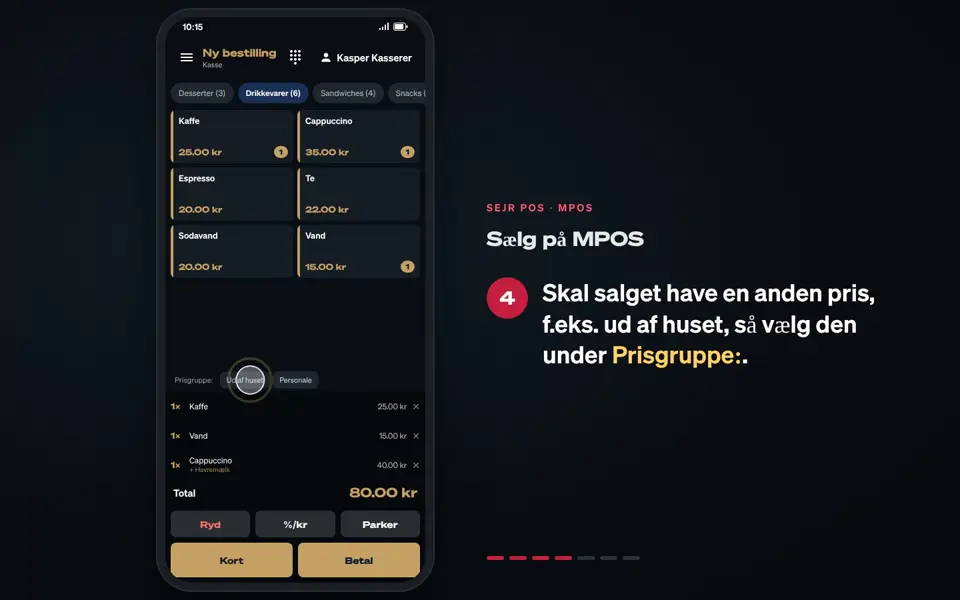
- Discount: %/kr next to Betal gives a discount on the whole bill.
Finishing up
The table is paid and ready for the next guests.
Still not working? Contact SEJR Support. We are happy to help.
Did the guide help you?